Three Useful Apps for Tennis Fans

You love tennis, but unfortunately you can’t spend every day on the court. If you want to get a daily dose of tennis even when you’re on the go, there are a number of smartphone apps for tennis fanatics just like yourself. Here are a few of the best.

Tennis Channel
Browse an entire channel dedicated to your favorite sport no matter where you are with the Tennis Channel app. The sleek, easy to navigate layout makes it simple to browse through news from competitions like the Masters, as well as scores, blogs, and player profiles to keep you even more connected to the latest tennis happenings. Tennis Channel even offers HD videos of full matches from your favorite players around the world.

Tennis Channel Everywhere
Tennis Channel Everywhere enables fans to watch both live and past videos from the Tennis Channel right from any iPhone or iPad device. Keep up with current tennis matches airing on the popular television channel with the live feature, or browse through the high quality video archives to catch up on the highlights from matches you may have missed.

World Tennis News
If you prefer to read your tennis news rather than watch all of the highlights, World Tennis News is the app for you. This attractive app rounds up news and results from all across the competitive tennis circuit and compiles them into a neatly organized database that’s constantly updated.

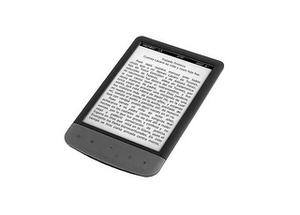
5 Tips for Choosing an eBook Reader

You’re a bookworm and love being able to travel with several books at a time with an eBook, but trying to decide which one is the best for you is a challenge. We’ve put together some tips to help you select the reader that best suits your needs. Whether you read newspapers, magazines, or books, you’ll easily be able to find the reader that’s right for you.

1. Look at the readability of the screen.
Many tablets offer eBook reading abilities, but exclusive eBook Readers typically have a much better screen for reading text. Try out the screen to see if you can stand looking at it for long periods of time.

2. Decide if you want internet access.
If you are a reader of books and internet articles, you might want a tablet that has access to both. If you prefer not to be distracted by the lure of the internet, stick with a eBook Reader only.

3. Visit your library.
Both your at home library and public library will tell you about what eBook reader to buy. Not all books are available on each device, so check with your local branch to see which device they support and compare it to the books you’ve been wanting to read to see who has them available.

4. Read reviews.
Check out product reviews by trusted sources on devices you’re interested in. Find out what is included on them and how they compare to other similar devices.

5. Set a budget.
Figure out how much you are willing to invest in a device and stick to it. You can get eBook readers for as low at $39 and as high as $500.

eBook Reader Review [Top Ten Reviews]
Find the Perfect eReader [Tech Hive]
How to Buy an eBook Reader [PC Mag]
eReader Comparisons [Digital Trends]
Buying Guide to eBook Reader [Wired]

Pin It on Pinterest